
DLNA Media Server
 Tahate nautida muusikat, videoid ja fotosid, ilma et peaks muretsema tehniliste probleemide pärast?
SCALEWIRELESS-il on selleks lahendus olemas.
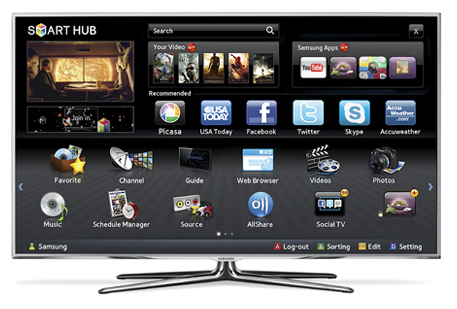
Synology DiskStation töötab meediaserverina. Kasutajal tuleb vaid laadida Package Centerist vastav rakendus nimega “Media Server” ja seejärel saabki striimida digimeediat näiteks oma stereosüsteemi. Muusika ja videod on striimitavad DLNA/UPnP-ühilduvasse telekasse, et DiskStationisse salvestatud lemmikfilme ja telesaateid televiisoriekraanilt vaadata.
Halda oma striime
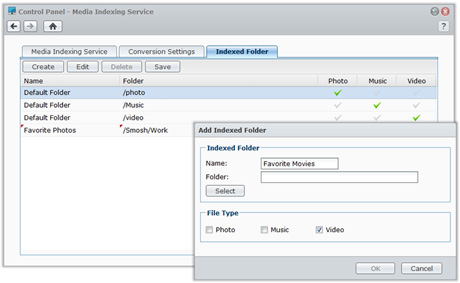
Oma kataloogid ja alamkataloogid saab DiskStationis organiseerida ja indekseerida nii, et DLNA toega mahamängiv seade leiab kiiresti vajaliku meedia üles. Vaikimisi on olemas kolm kataloogi, kuid loomulikult saab neid ka ise juurde luua. Multimeediafailide DMA lehitsemise menüüd saab samuti oma soovide järgi seadistada.
PS3 ja Xbox 360 tugi
Synology DiskStationit on võimalik siduda Sony Playstation 3-ga ja Microsoft Xbox 360-ga. DiskStation on ühilduv nende kahe konsooli kasutatavate multimeedia vormingutega. Kui ühendus loodud, saab lehitseda DiskStationisse salvestatud multimeediat ja striimida seda otse stereosüsteemi või televiisorisse.
 Mis on DLNA? See on tulevikukodu keskne lahendus eri seadmete ühendamiseks. DLNA sertifikaadiga tooted on loodud koos töötama, isegi kui need on pärit erinevate tootjate juurest. See tähendab, et kasutaja võib valida just sellise DLNA sertifikaadiga seadme, mis on tema jaoks sobivaim sõltumata tootjast ning võib luua digitaalse võrgu, mis on kohandatud just tema elu ja harjumustega. Praegu poodides müüdavatest televiisoritest on üle 60 protsendi DLNA-ühilduvad ja nende osakaal kasvab kiiresti. Rohkem infot DLNA kohta leiab Digital Living Network Alliance´i kodulehelt.

